


FitBook - An all-inclusive sport booking management dashboard
Role: UI
Tools: Figma
Overview
This case study delves into the development of a robust dashboard solution designed to streamline operations and enhance customer experiences for sport and health centers.

Problem
Sport and health centers often grappled with the challenges of organizing schedules, managing memberships, and optimizing customer interactions. The goal was to create a comprehensive dashboard to address these issues and improve center management.
Research & Discovery
Market Research: Analyzed the needs and pain points of sport and health centers in managing their services and customer interactions.
Ideation & Design
Feature Planning: Collaborated with stakeholders to outline the dashboard's key features, including insights, branch management, class scheduling, memberships, bookings, payments, billing, and settings.
User-Centered Design: Employed user-centric design principles to ensure an intuitive and efficient user interface.
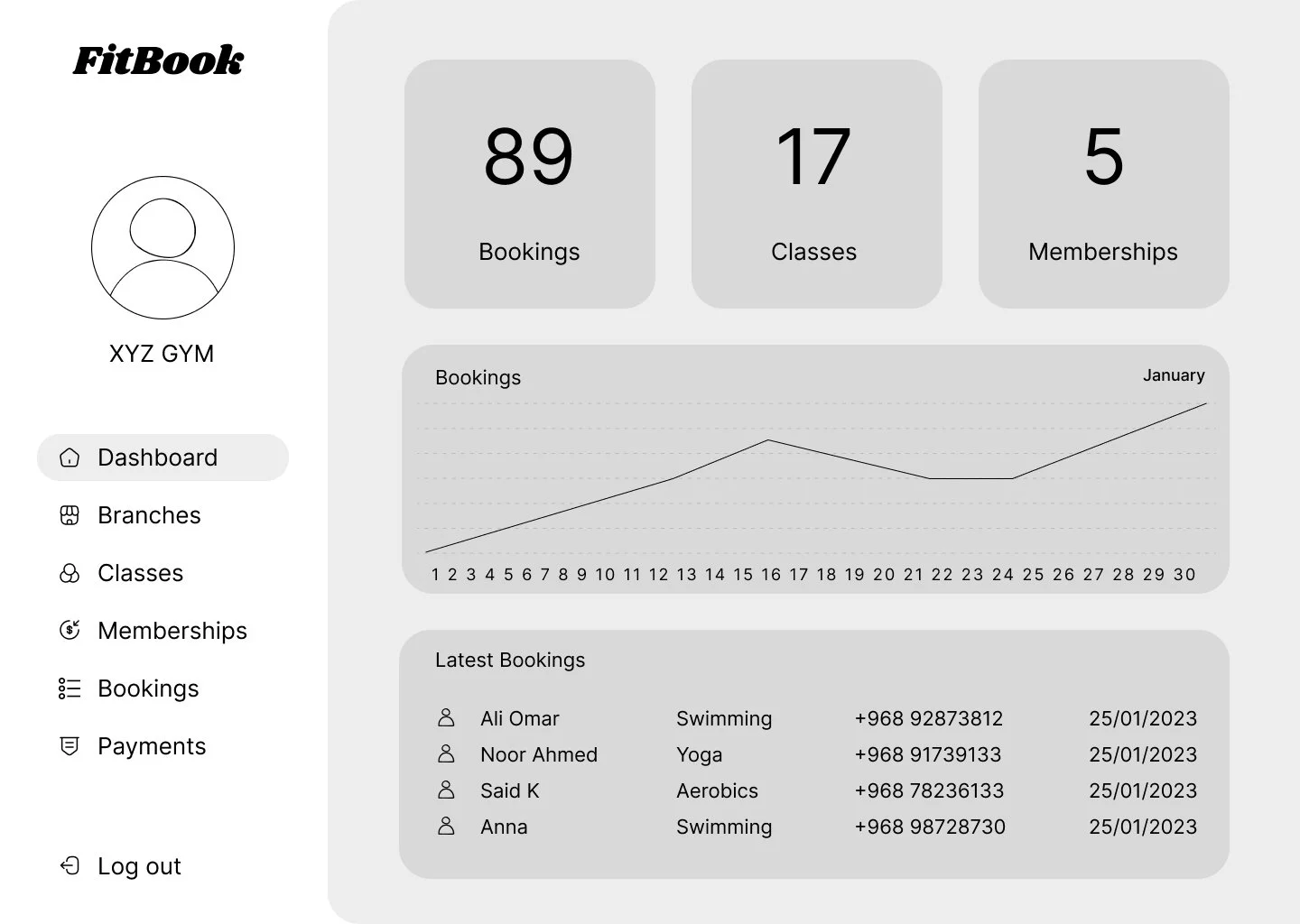
Dashboard wireframe - 1st iteration
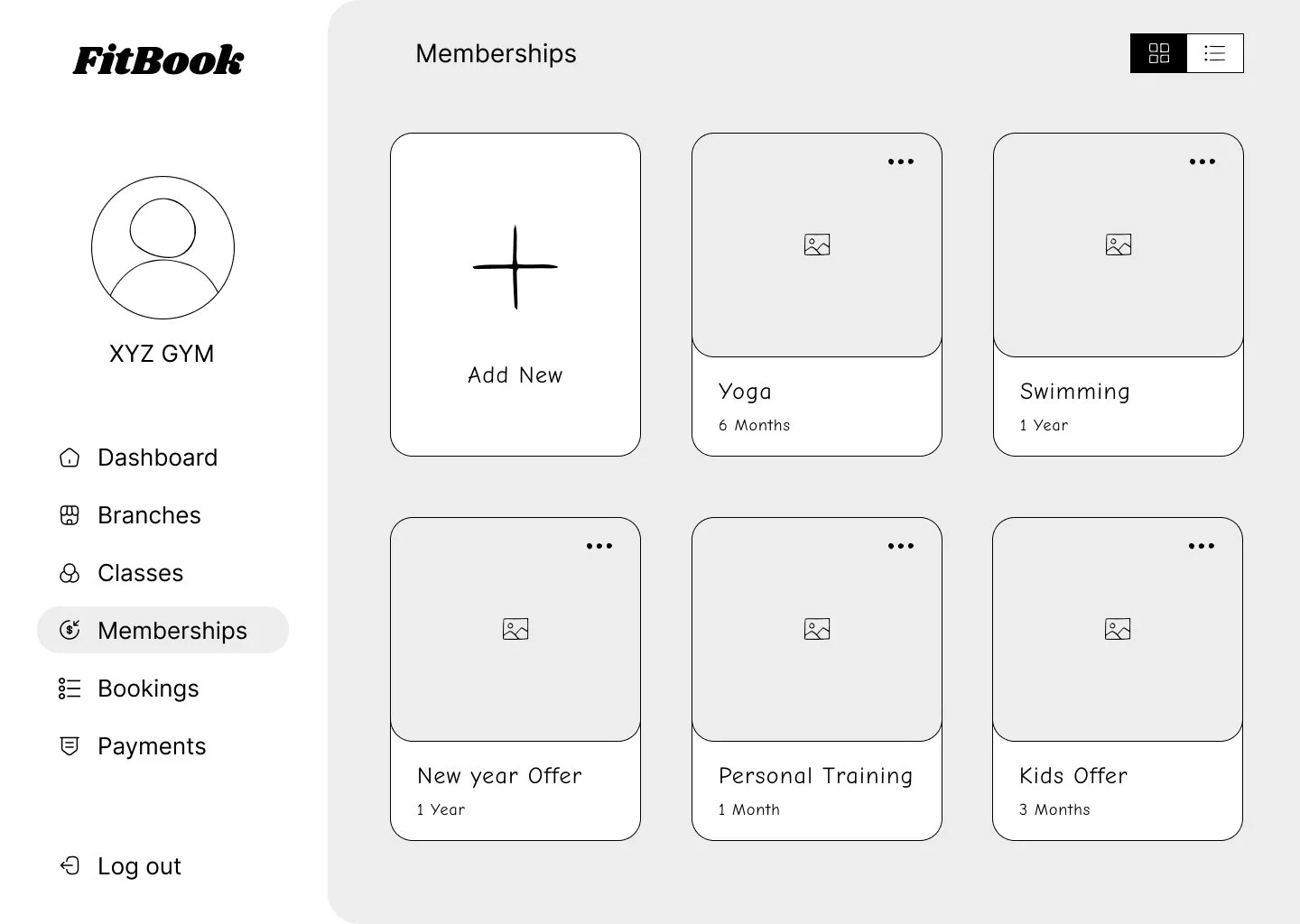
Memberships wireframe - 1st iteration
Features List
Insights and Analysis: Provides in-depth data analysis and reporting tools to help center managers make informed decisions.
Branch Management: Allows easy management of multiple center branches, including location details, staff assignments, and resources.
Class Scheduling: Enables scheduling and management of classes, including class types, instructors, and class times.
Memberships Management: Provides tools to manage customer memberships, including sign-ups, renewals, and access control.
Bookings Management: Allows customers to book classes and services online, with real-time availability updates.
Payments: Facilitates secure and convenient online payments for memberships, bookings, and other services.
Billing: Automates billing processes, generating invoices and tracking payments for memberships and services.
Settings: Offers customization options for center-specific configurations, such as branding, notifications, and user permissions.
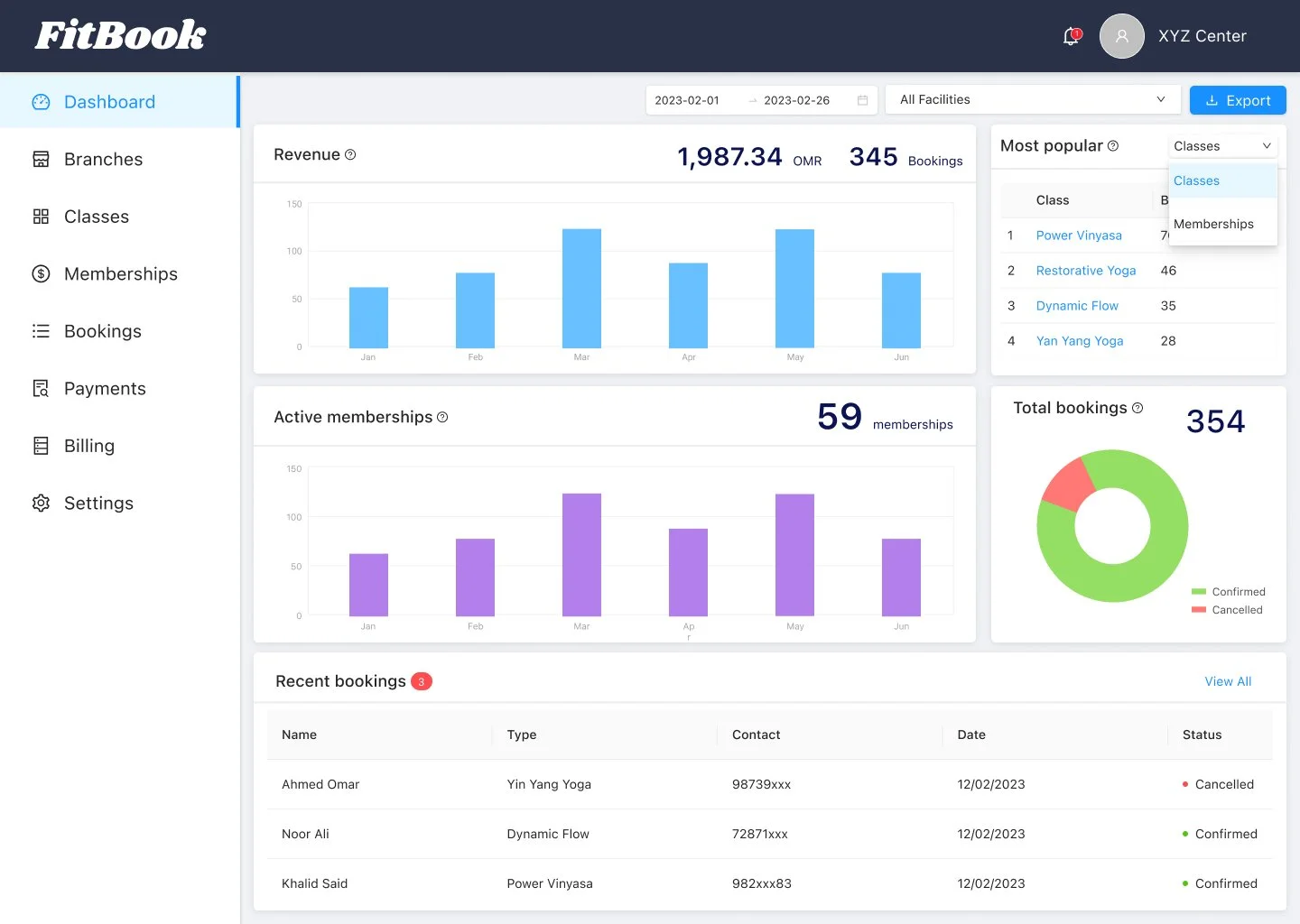
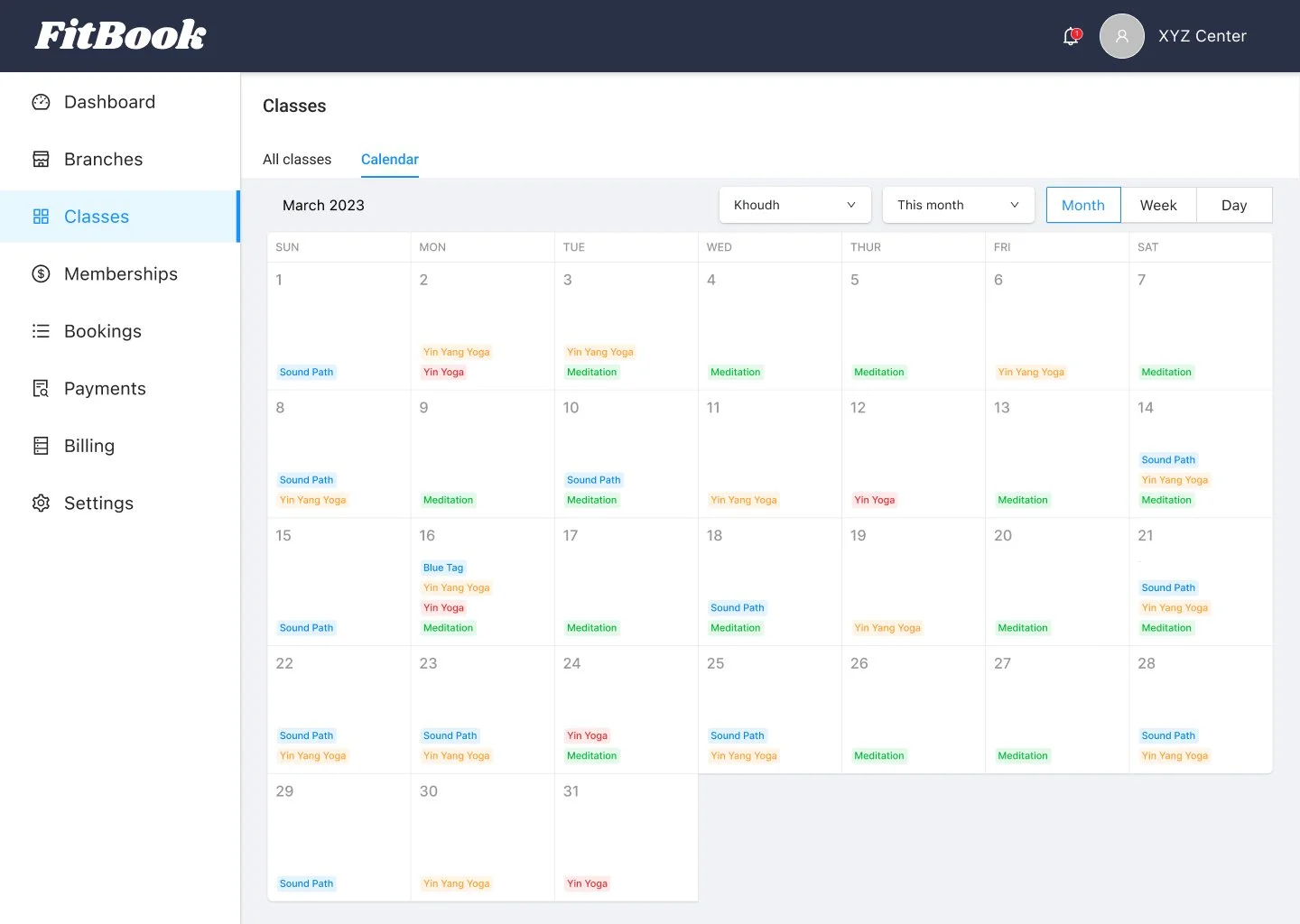
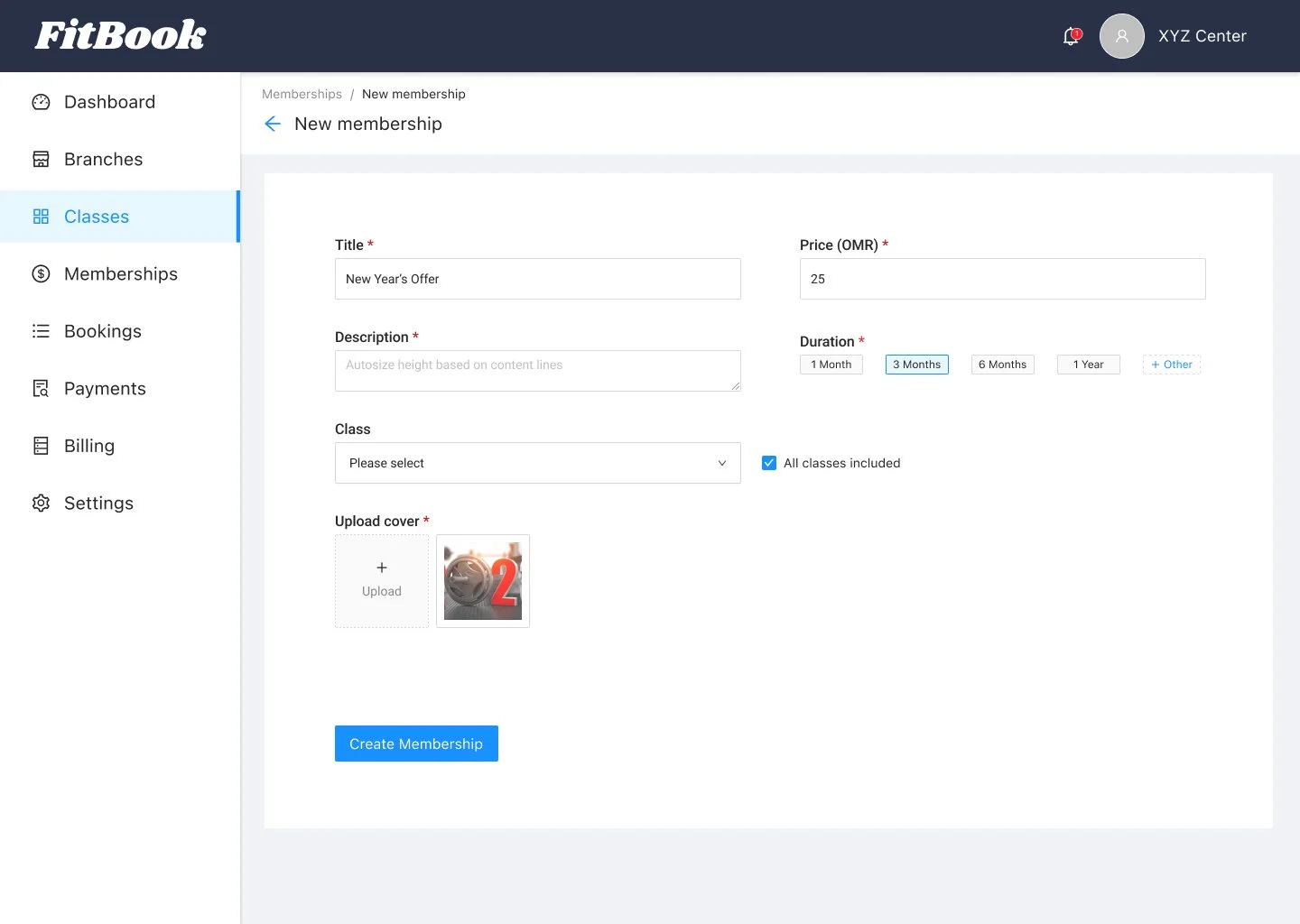
Usability Testing
Conducted thorough testing with center managers and staff to ensure the dashboard met their requirements.
Feedback Analysis
Iteratively improved the dashboard based on user feedback, optimizing its usability and effectiveness.
Conclusion
The creation of this comprehensive dashboard revolutionized sport and health center management. By addressing operational challenges and enhancing the customer experience, it played a pivotal role in the success of these centers.
Key Takeaways
User-Centric Design: The project's foundation was a strong commitment to understanding and addressing the unique needs and preferences of center managers and customers.
Feature Planning: Careful planning and collaboration with stakeholders were essential for outlining the dashboard's key features, ensuring it met the project's objectives.
Iterative Prototyping: The design process embraced an iterative approach, continuously refining the user interface and functionality based on user feedback and evolving requirements.
Operational Efficiency: The design prioritized intuitive and efficient workflows, simplifying tasks related to class scheduling, membership management, and customer interactions.
User Testing: Rigorous user testing with center managers and staff played a crucial role in ensuring the dashboard's usability and effectiveness.
Data-Driven Insights: The design incorporated insights and analysis tools to provide valuable data for informed decision-making, further enhancing the user experience.
Empowering Center Managers: The design empowered center managers with a powerful tool for optimizing operations and customer interactions, contributing to the project's success.